> For the complete documentation index, see [llms.txt](https://docs.coupler.io/llms.txt). Markdown versions of documentation pages are available by appending `.md` to page URLs; this page is available as [Markdown](https://docs.coupler.io/troubleshooting/google-400-error-the-server-cannot-process-the-request-because-it-is-malformed.md).
# Google 400 error: the server cannot process the request because it is malformed
Resolve the Google 400 "malformed request" error in Coupler.io. Find out what causes this issue with Google-based sources and how to fix it quickly.
This is a known issue that can occur due to different reasons - find below its overview and the possible solutions on how to fix it.
***
### Issue overview
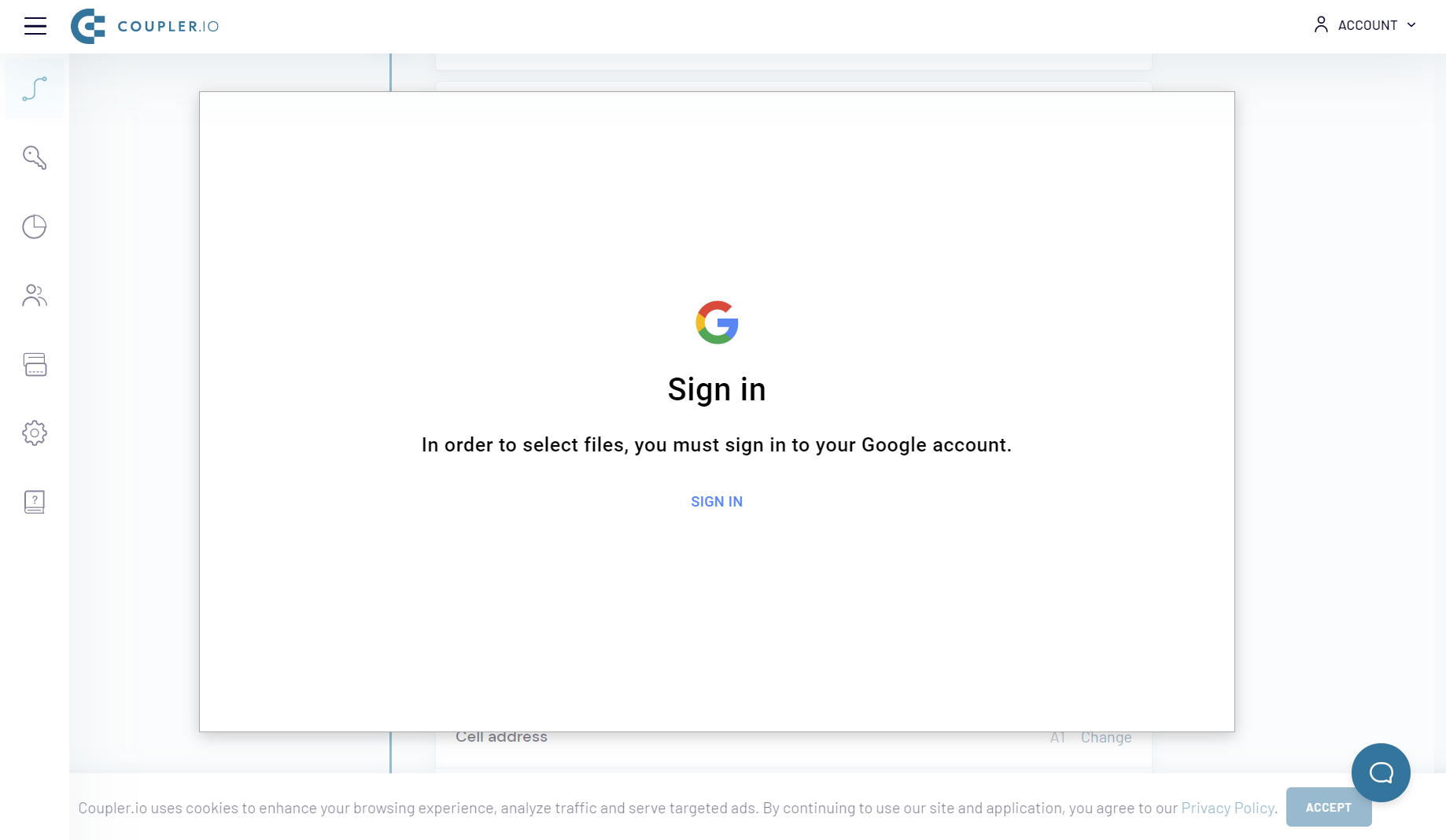
The next window is visible instead of the Google file picker:
After you try to sign in several times, you get the next message:
***
### Reasons and how to fix this issue:
* **You are logged in to a few Google Accounts in the same browser, and Google does not figure out the proper account to use**
1. Sign out of all Google accounts.
2. Sign in with the Google account that you used to install Coupler.io (it is required for this account to be the first one you sign in to).
* **You are using a browser with add-ons installed that change your privacy settings (i.e. Brave browser)**
1. Disable such add-ons in the browser.
2. Restart the browser or reload the page (what will be asked in the browser itself).
* **You are using Coupler.io in incognito mode and have third-party cookies blocked in the privacy settings of your browser, or you are using Coupler.io in common mode and have all cookies blocked**
1. Follow the steps: [Coupler.io refused to connect](/troubleshooting/coupler.io-refused-to-connect.md)
* **Your connection to Google Sheets was disabled or expired**
1. Navigate to the [Destinations](https://app.coupler.io/app/destinations) page.
2. Find the affected connection and click the "Reconnect" button.
3. Click the "Reconnect account" button.
4. Proceed to log in with your Google Account.
***
Still experiencing errors after trying these steps? [Contact our support team](mailto:contact@coupler.io) with the following information, and we'll help you troubleshoot further:
* Your Coupler.io data flow ID (link);
* Any relevant screenshots or information about your issue, and what you have already done to troubleshoot it from your side.
---
# Agent Instructions
This documentation is published with GitBook. GitBook is the documentation platform designed so that both humans and AI agents can read, navigate, and reason over technical content effectively. Learn more at gitbook.com.
## Querying This Documentation
If you need additional information that is not directly available in this page, you can query the documentation by asking a question.
Perform an HTTP GET request on the following URL with the `ask` and `goal` query parameters:
```
GET https://docs.coupler.io/troubleshooting/google-400-error-the-server-cannot-process-the-request-because-it-is-malformed.md?ask=&goal=
```
`ask` is the immediate question: it should be specific, self-contained, and written in natural language.
`goal` is what the user is ultimately trying to achieve, the reason they need the answer. Sharing it helps GitBook give you a better, more relevant answer. A goal is most helpful when it describes the outcome the user wants rather than restating the question. For example, with `ask=how do I create an API token`, a goal like `automate deployments from our CI pipeline` lets GitBook tailor the answer to that use case.
The response will contain a direct answer to the question and relevant excerpts and sources from the documentation.
Use this mechanism when the answer is not explicitly present in the current page, you need clarification or additional context, or you want to retrieve related documentation sections.