Find your invoices

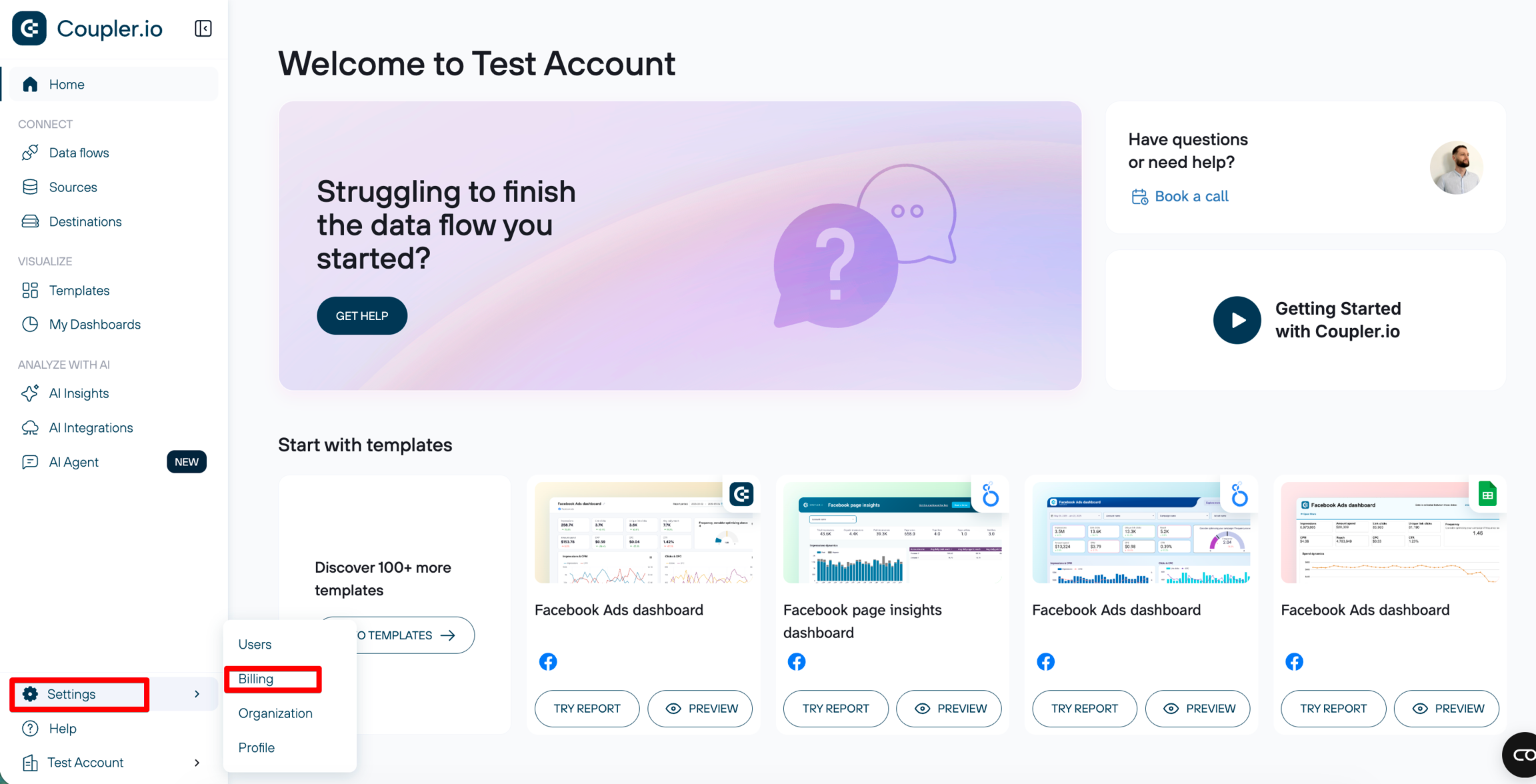
Steps to get your invoices

1. Sign in to Coupler.io

Direct link: https://www.coupler.io/app/billingarrow-up-right

3. Go to the Customer Portal & download invoices
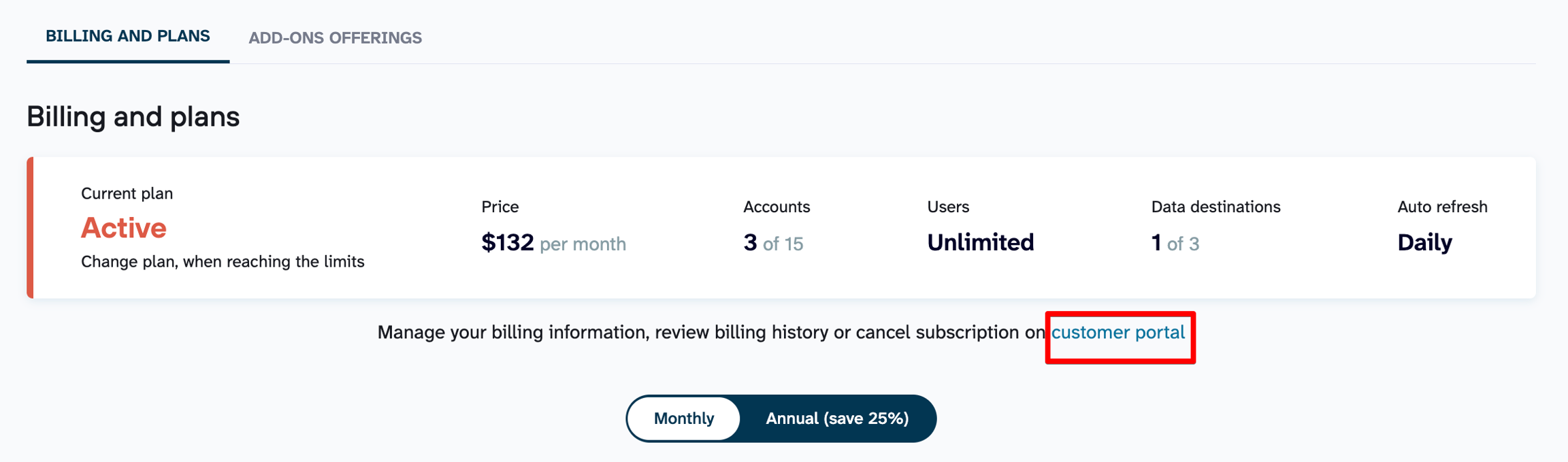
Click on the Customer Portal link below your current plan info:

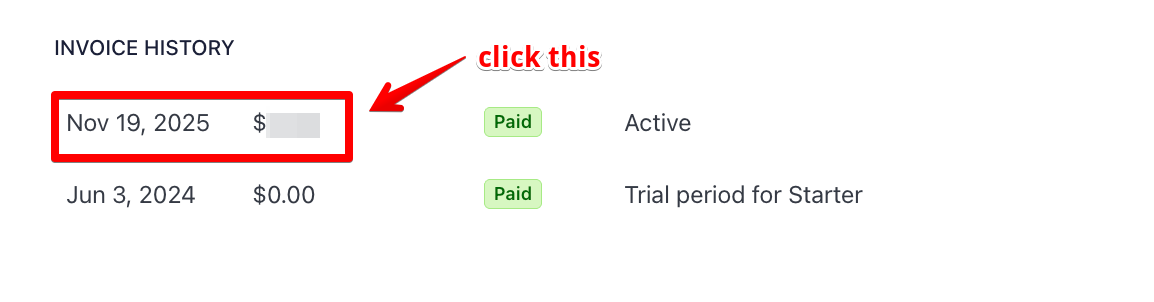
Scroll down to the Invoice History section and select the invoice you want to download:

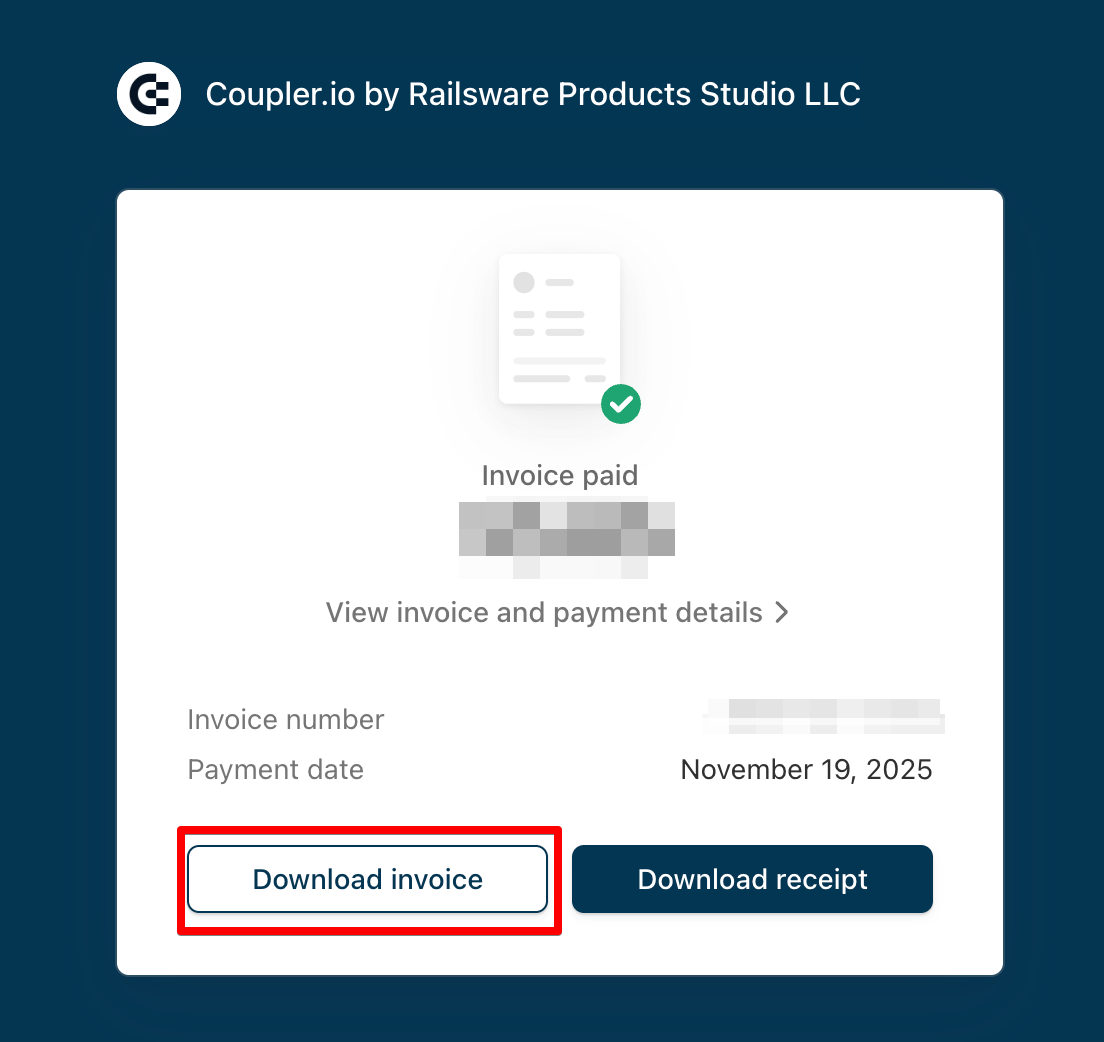
Click the Download invoice button as shown in the screenshot below:

Last updated

Was this helpful?