# Switch between organization

Sometimes a user might have a personal Coupler.io organization, and to be part of one or multiple other Coupler.io organizations. Knowing how to easily switch from one organization to another makes using the product much easier.

#### How to switch organization in the web version

{% stepper %}
{% step %}
Sign in to Coupler.io (use <https://www.coupler.io/sign_in>)
{% endstep %}

{% step %}
Click Organization and select the desired organization:

<div align="left"><figure><img src="https://2487187314-files.gitbook.io/~/files/v0/b/gitbook-x-prod.appspot.com/o/spaces%2FCgnmco7kCnvytNIN8YdT%2Fuploads%2FBEGXRknAMW8eY3ttOkLs%2Fimage.png?alt=media&#x26;token=f85d541f-4770-4a21-ac24-bbff559f2f61" alt="" width="375"><figcaption></figcaption></figure></div>
{% endstep %}
{% endstepper %}

{% hint style="info" %}
Organization can have the same name. You can always rename your organization or ask the owner of another organization to rename theirs.
{% endhint %}

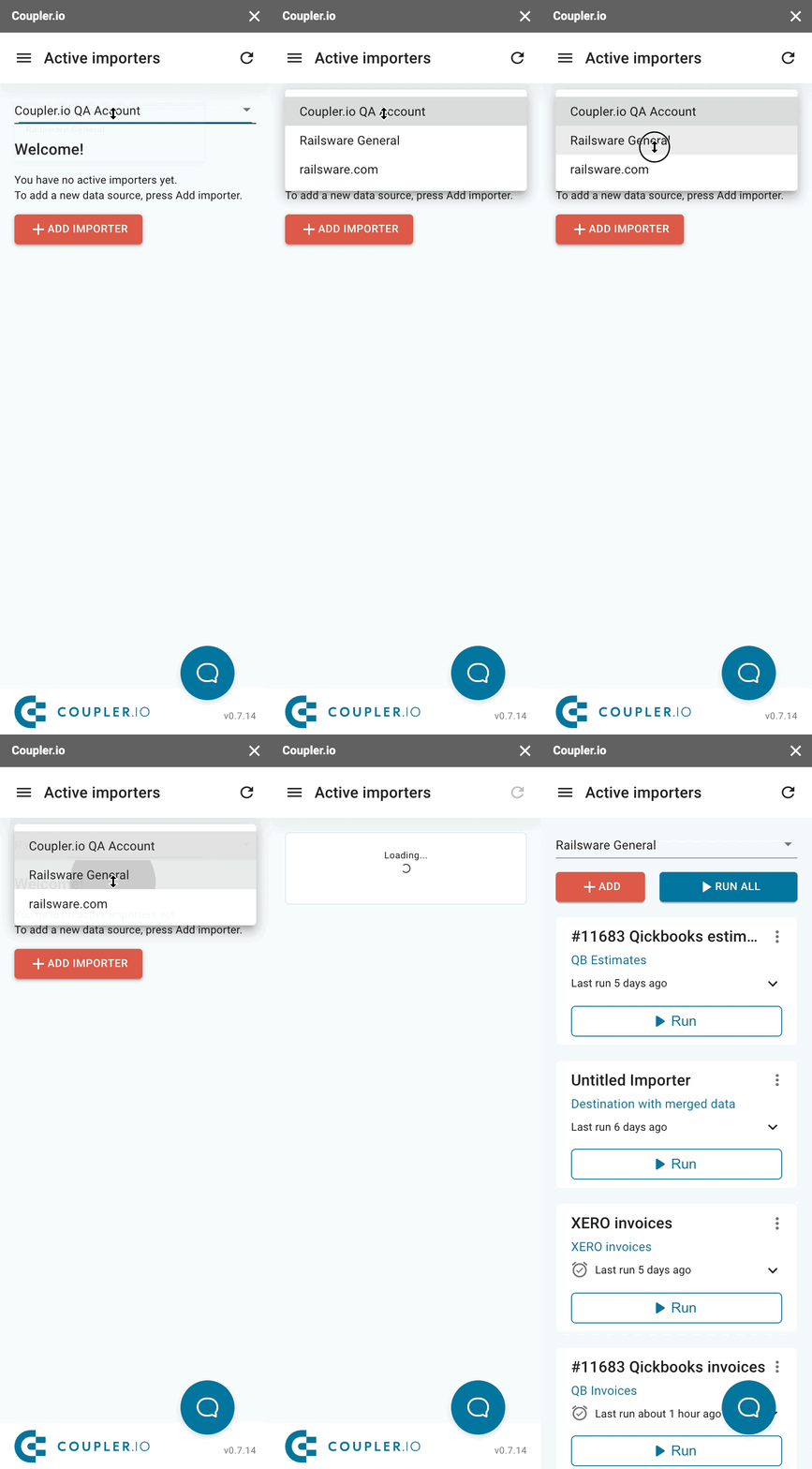
#### How to switch organizations in the Google Sheets add-on
{% stepper %}
{% step %}
Open Add-ons <i class="fa-arrow-right">:arrow-right:</i> Coupler.io <i class="fa-arrow-right">:arrow-right:</i> Open dashboard
{% endstep %}

{% step %}
If you have only 1 organization, there will be no dropdown list for you.&#x20;

Otherwise, click on the current organization name and select the desired one from a dropdown menu:

<div align="left"><img src="https://d33v4339jhl8k0.cloudfront.net/docs/assets/57fbf3029033600277a688ab/images/60e55dcf8556b07a2884d0e3/file-d7xXLFmwWL.gif" alt="" width="188"></div>
{% endstep %}
{% endstepper %}
